
How to Add Channels on DStv: A Complete Guide for 2026
Learn how to add channels on DStv by upgrading your package or adding special bouquets. Step-by-step guide using the DStv app, self-service portal, and WhatsApp.
Introduction
If you are looking for a specific channel and cannot find it on your DStv, you may be wondering how to add it. The important thing to know upfront is that you cannot add individual channels on DStv. Instead, channels are grouped into packages, and to get new ones, you need to upgrade your subscription to a higher package or add a special bouquet that includes the channels you want .
This guide explains exactly how that works and walks you through the process step-by-step.
Can You Add Individual Channels on DStv?
No. DStv does not offer a la carte channel selection. The channel lineup you see is determined entirely by the package you subscribe to . To access a new channel, it must be part of a package you are not currently on.
How to Upgrade Your Package
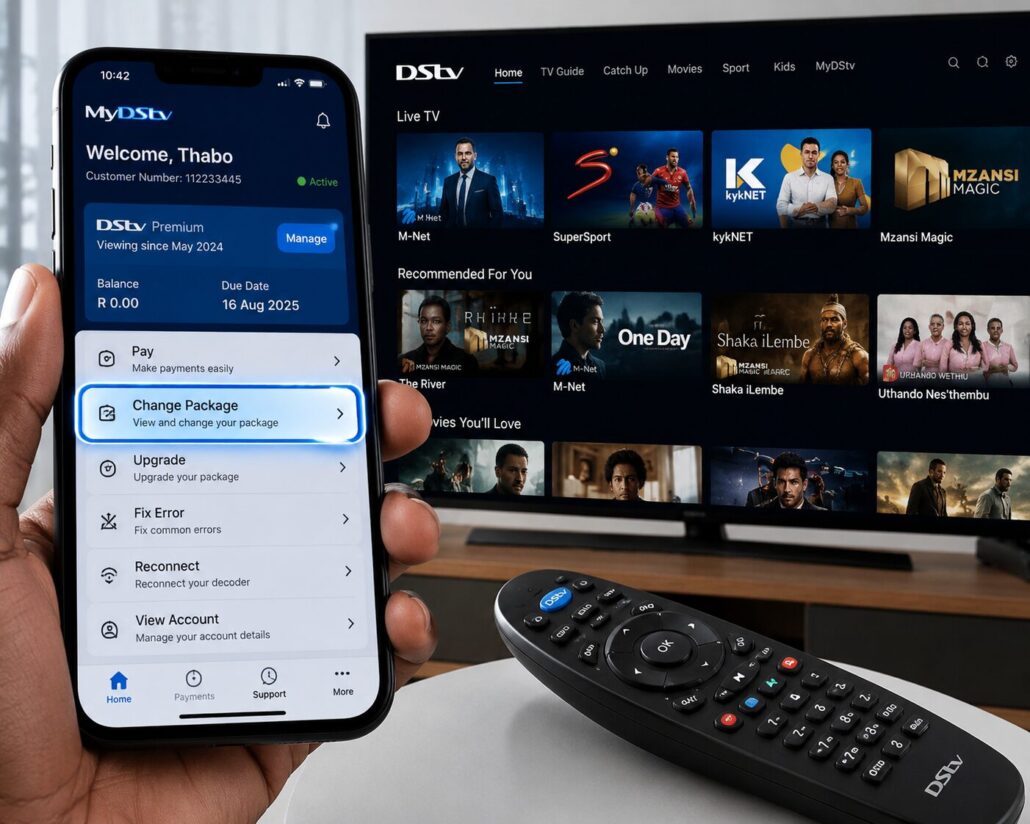
The only way to add new channels is to upgrade your subscription to a package that includes them . Here is how to do it using the DStv self-service tools .
Option 1: Use the DStv App or Website
- Log in to your account on the MyDStv App or the DStv Self-Service website .
- Go to My Account.
- Select Change Package or Upgrade Package.
- Choose the new package that has the channels you want.
- Confirm and make payment. The upgrade usually takes effect immediately or within a few minutes .
Option 2: Use WhatsApp
You can also use the DStv WhatsApp self-service channel to change your package instantly .
Option 3: Use USSD
You can dial *120*68584# from any South African mobile network to manage your account and upgrade your package .
Understanding DStv Packages
Upgrading requires knowing what channels are available. DStv’s packages in South Africa include many channels, but the exact number varies by package. Here is an overview based on current information :
- Access: This entry-level package now includes channels like Trace Ngoma, Trace Gospel, and WWE .
- Family: A mid-range option with more entertainment and sports.
- Compact: A popular choice with more channels and including select Showmax content at no extra charge .
- Compact Plus: A premium option with even more channels and also includes Showmax content.
- Premium: The top-tier package with the most channels and the full SuperSport lineup .
A recent change in 2026 also saw DStv removing a number of channels across all packages, including BET Africa, MTV Base, and CBS Reality. At the same time, it added channels like WWE, Trace Ngoma, and Trace Gospel to the entry-level Access package .
Adding Special Bouquets
For some specific needs, like Indian, French, or Portuguese channels, DStv offers add-on bouquets that can be attached to your subscription for an additional monthly fee . You can find these in the Add-ons section of the MyDStv app or self-service portal .
Troubleshooting New Channels
Sometimes, after upgrading, new channels may not appear immediately. If that happens, you can try re-scanning your decoder :
- Press Menu on your DStv remote.
- Go to Settings > Satellite Settings > Home Network.
- Select Launch Installation and follow the prompts to re-scan .
Key Takeaway
The simplest way to add channels on DStv is to upgrade your package using the self-service portal, the MyDStv app, or by contacting DStv. An upgrade takes effect immediately, and you will have access to your new channels within minutes after payment is confirmed .
Frequently Asked Questions: How to Add Channels on DStv
Here is a comprehensive FAQ section for your article on adding channels on DStv, providing clear answers based on the information gathered.
Frequently Asked Questions
Can I add individual channels to my DStv subscription?
No, you cannot add individual channels on DStv. Channels are grouped into packages, and the only way to get new ones is to upgrade your subscription to a higher package or to add a specific add-on bouquet that includes the channels you want .
How do I upgrade my DStv package?
You can upgrade your package through the MyDStv app or the DStv Self-Service website. Simply log in, go to My Account, select “Change Package” or “Upgrade Package,” choose your new package, and confirm payment. The upgrade usually takes effect immediately. You can also use the DStv WhatsApp self-service (060 060 3788) or dial *120*68584# from any South African mobile network .
What is the best way to see what channels are in each package?
The official DStv website and the MyDStv app have full channel lists for every package, allowing you to check exactly which channels you will get before you upgrade.
What is a DStv add-on bouquet?
Some packages, especially for Indian, French, or Portuguese channels, are offered as add-on bouquets. These are extra packages you can attach to your current subscription for an additional monthly fee to access those specific channels .
How long does it take for new channels to appear after I upgrade?
An upgrade usually takes effect immediately or within a few minutes after payment is confirmed. If you do not see the new channels right away, you may need to re-scan your decoder. Press Menu > Settings > Satellite Settings > Home Network, then select “Launch Installation” to re-scan .
What should I do if I upgraded but the channels are missing?
First, try re-scanning your decoder. If the channels are still missing, contact DStv customer support or use the self-service portal to confirm your upgrade was processed. Occasionally, you may need to wait for the set-top box to update its channel list .
Have any channels been added or removed recently?
Yes. In 2026, DStv removed several channels including BET Africa, MTV Base, and CBS Reality across all packages . At the same time, it added channels like WWE, Trace Ngoma, and Trace Gospel to the Access package .
Is it cheaper to upgrade or add a bouquet?
It depends on what you need. If you want a few specific premium channels, upgrading to a higher package might be the most cost-effective option. If you want a set of international channels (e.g., Portuguese or Indian), an add-on bouquet may be cheaper than a full package upgrade. Compare the costs and channel lists before making a decision.
Can I downgrade my package if I no longer want the extra channels?
Yes, you can downgrade your DStv package, but you should check the terms and conditions. Downgrades might only take effect at the end of your current billing cycle .
I’m on a month-to-month contract. Can I still upgrade?
Yes, you can change your package at any time, regardless of your contract type. Your new package and monthly fee will apply from your next billing cycle or immediately, depending on the terms .
Disclaimer: This information is based on publicly available details and may be subject to change. Always check the official DStv website or app for the most current package information and channel line-ups.
