
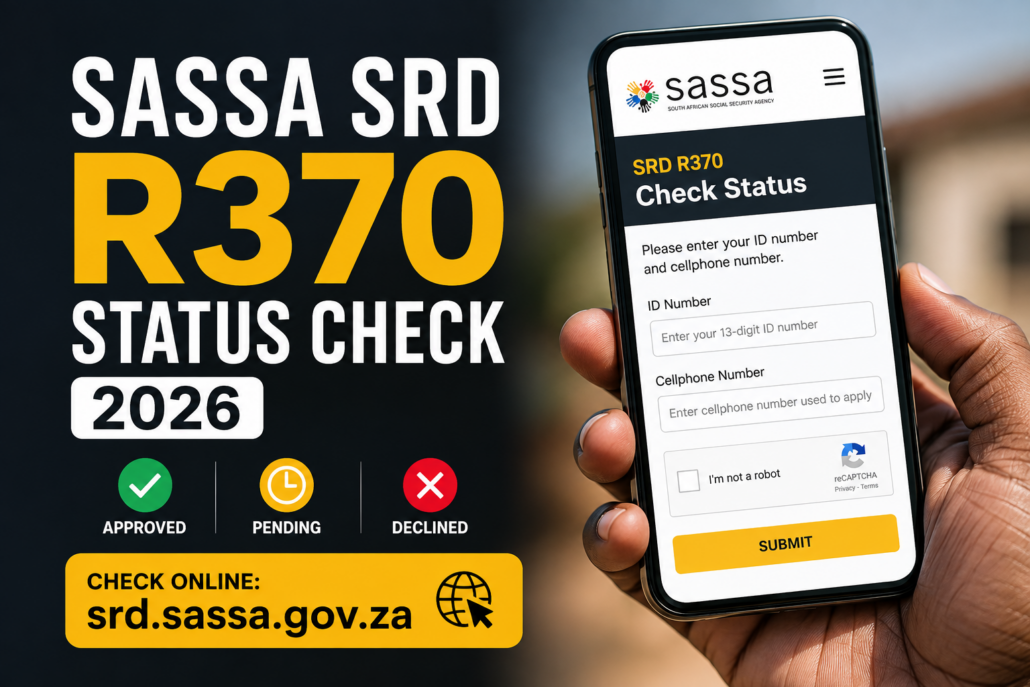
SASSA SRD R370 Status Check 2026: Check Your Grant Online
Last updated: 20 October 2026
If you want to check your SASSA SRD R370 grant status, use the official South African Social Security Agency (SASSA) status checker. You can check whether your application is pending, approved or declined, and whether a payment date has been provided.
Check your status here: Official SASSA SRD Status Checker
You will generally need your South African ID number and the cellphone number linked to your SRD application. Check the result for the specific month you want to know about, because your status may differ from one month to another.
Important: An approved application does not automatically mean that the money has already been paid. Look for the payment date shown in your status result.
How to Check Your SASSA SRD R370 Status Online
Follow these steps to check your Social Relief of Distress (SRD) grant status.
- Open the official status checker: Visit srd.sassa.gov.za/sc19/status.
- Enter your South African ID number: Use the ID number associated with your application.
- Enter your application cellphone number: Use the number you registered with SASSA.
- Submit your details: Follow the instructions displayed on the official website.
- Find the relevant month: Read the status shown for that period and check whether a payment date appears.
If the page is temporarily unavailable, try again later. You can also contact SASSA directly for assistance.
Only enter your personal information on an official SASSA website. Urban Street Culture does not process grant applications and does not need your ID number, banking details or application cellphone number to explain how the status checker works.
What Does Your SASSA SRD Status Mean?
The meaning of your result determines what you should do next. The following guide explains common SRD status messages and the appropriate next step. The exact wording on the official portal may change, so follow any additional instructions shown with your result.
| Status | What it means | What you should do |
|---|---|---|
| Pending | Verification for the relevant month has not been completed. | Check the official portal again later for an update. |
| Approved | Your application has been approved for the month displayed. | Check the payment date field to see whether a date is available. |
| Approved, but no payment date | Your application is approved, but a payment date has not been provided. | Check your status again later. If the delay continues, contact SASSA. |
| Declined | Your application was declined for the month shown. | Read the reason provided and follow the official reconsideration or appeal instructions if you believe the decision is incorrect. |
| Bank details pending | SASSA has not received the required banking details or payment preference. | Use the official SRD website to submit or update the requested details. |
| Reapplication pending | The system indicates that a reapplication has not been received. | Follow the application instructions on the official SRD portal. |
| Application complete | Your application or reapplication has been received. This does not, by itself, confirm approval for every month. | Check the status for the specific month you want to verify. |
| Cancelled | The grant is recorded as cancelled. | If you want to request reinstatement, use the official reinstatement page and follow its instructions. |
Official reinstatement page: SASSA SRD Grant Reinstatement
These explanations are based on SASSA’s published SRD status guidance. That guidance still contains older R350 wording, so use it to understand the status messages and confirm the current instructions on the official portal before taking action.
SASSA SRD R370 Approved but No Payment Date: What Should You Do?
If your SASSA SRD R370 status says Approved but no payment date appears, it does not necessarily mean your grant has been declined.
SASSA’s published status guide explains that when a period is approved but no payment date is shown, payment has not yet been processed.
Here is what to do:
- Return to the official SRD status checker.
- Select or review the month that has been approved.
- Check whether a payment date has appeared.
- Confirm that your banking or other payment details are correct on the official portal.
- If the status remains unchanged or you need help with a delayed payment, contact SASSA using its official contact details.
Remember that these are separate stages: application approval, payment processing and the money reflecting in your account are not the same thing. A status showing approval alone is not confirmation that funds have reached you.
What to Do if Your SASSA SRD R370 Application Is Declined
If your status says Declined, check the reason displayed for the month concerned before taking further action.
The reason matters because a decision for one month does not necessarily tell you the outcome for every other month.
If you believe the decision is incorrect, use the official reconsideration or appeal process and follow the instructions and deadline that apply to your case.
Official reconsideration portal: Department of Social Development SRD Portal
Before submitting a request:
- Read the decline reason carefully.
- Check that you are using the official portal.
- Follow the instructions for the relevant month.
- Submit your request within the applicable deadline.
- Keep any confirmation or reference details provided.
Do not assume that every declined application has the same cause or that an appeal will automatically be successful. The decision depends on your circumstances and the checks conducted for the relevant period.
How to Fix SASSA SRD Banking Details Pending
A Bank details pending result means the application system has not received the required banking details or payment preference, according to SASSA’s published status guidance.
To address this:
- Open the official SASSA SRD website.
- Find the banking-details section and follow the instructions provided.
- Enter the requested information carefully.
- Return to the status checker to review your application and payment status.
If your bank account details have changed, use the official portal to follow the applicable update process. Do not submit banking information through an unfamiliar link sent by a stranger.
If you have lost access to the cellphone number linked to your application, check the official portal for the current number-change or identity-verification procedure. SASSA’s 2026 grant booklet notes that changing an SRD cellphone number can require facial-recognition verification in applicable cases.
How to Contact SASSA About Your SRD R370 Grant
If you cannot check your status, need help understanding a result or have a question about a payment, use SASSA’s official contact channels.
- SASSA toll-free number: 0800 60 10 11
- Additional telephone number: 012 400 2322
- Email: GrantsEnquiries@sassa.gov.za
- Official contact page: SASSA Contact Us
- SRD status checker: Check your status online
SASSA notes that its toll-free number applies to calls made from landlines; calling from a cellphone may incur charges.
When asking for assistance, explain the status shown on your application and the month involved. Never share your banking PIN, card PIN, online banking password or one-time banking verification code with someone claiming they can release your grant.
Frequently Asked Questions About the SASSA SRD R370 Status Check
How do I check my SASSA SRD R370 status?
Visit the official SASSA SRD status checker, enter your ID number and the cellphone number linked to your application, then follow the instructions to view your result.
What does Pending mean on my SASSA status?
Pending means verification for the relevant month has not been completed. Check the official portal again later for an update and follow any instructions displayed.
What does Approved mean on the SRD R370 status checker?
Approved means your application has been approved for the month shown. Check the payment date field to see whether a date has been provided. Approval by itself does not confirm that the money has been paid.
Why is my SASSA SRD status approved but there is no payment date?
It means the application has been approved, but a payment date has not yet been provided. SASSA’s published status guide says that if no payment date appears, payment has not yet been processed. Check again later and contact SASSA if you need help with a continuing delay.
What should I do if my SASSA SRD application is declined?
Read the reason given for the relevant month. If you believe the decision is incorrect, follow the official reconsideration or appeal instructions at srd.dsd.gov.za and observe the deadline that applies to your case.
What does Bank details pending mean?
It means the required banking details or payment preference have not been received by the system. Visit the official SASSA SRD website and follow the instructions for submitting or updating your details.
Where can I check SASSA SRD payment dates?
Start with your result on the official SRD status checker. If your application is approved, check whether a payment date appears for the relevant month. For further assistance, use SASSA’s official contact page.
Is the SASSA SRD status check free?
You can access the official online status checker without paying a third-party website to look up your result. Avoid websites or individuals that demand a fee in exchange for checking your status or promising to secure approval.
Can Urban Street Culture check my SASSA status for me?
No. Urban Street Culture provides information to help readers understand the process. Check your personal application directly through SASSA’s official website, and do not post your ID number, cellphone number or banking information in the comments.
Final Reminder
For the safest and most accurate result, use the official SASSA SRD R370 status checker. Check the status for the correct month, read the reason or instructions shown, and distinguish between approval and payment processing.
Information source: SASSA’s published SRD status guide and official contact page. The status guide available online uses older R350 wording, so verify current requirements and instructions directly with SASSA.
Urban Street Culture is an independent culture, lifestyle, music and entertainment publication. It is not affiliated with SASSA or the Department of Social Development.website, srd.sassa.gov.za.


